
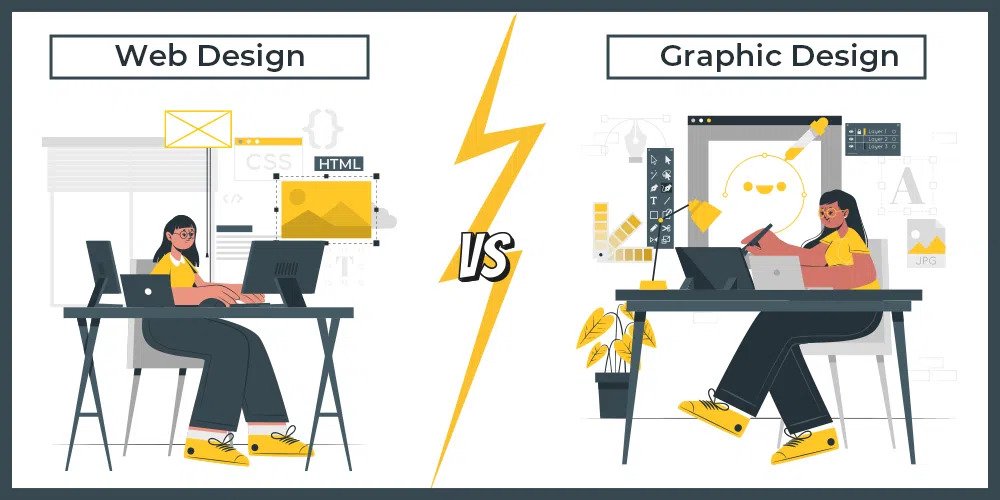
Visual communication shapes how people perceive businesses, navigate products, and interact with digital content. For aspiring creators stepping into creative design, learning the combined disciplines of graphic design and web development creates a powerful advantage. Graphic design establishes identity, visual hierarchy, and brand aesthetics, while web design brings those visuals to life through functional, responsive interfaces. Mastering both opens pathways to high-demand careers across multimedia studios, digital agencies, and tech firms.
Understanding the Foundations of Visual Design
Before opening any software application, an effective designer must understand how humans process visual information. Graphic design relies on proven artistic principles to organize elements so that viewers naturally understand intent without cognitive friction.
- Balance and Alignment: Distributing visual weight symmetrically or asymmetrically creates stability and directs focus across a layout.
- Contrast and Hierarchy: Using contrasting scales, weights, and values guides user attention toward primary calls to action or essential headlines.
- Color Theory and Psychology: Colors trigger specific psychological reactions; choosing complementary palettes or adhering to the 60-30-10 rule ensures aesthetic coherence.
- Typography Fundamentals: Selecting typefaces, managing kerning, leading, and tracking, and pairing serif with sans-serif fonts ensures readability across print and screen formats.
Applying these foundations enables beginners to construct flyers, brand assets, social media kits, and UI components that feel professional rather than arbitrary. Structured guidance through graphic designing courses in Udaipur helps learners build practical competence through mentored assignments and real-time critique.
Technical Mastery: Essential Design Software
Transforming creative ideas into commercial assets requires fluency with industry-standard design programs. Modern workflows typically demand proficiency across vector illustration, image editing, and layout production.
- Vector Illustration: Mastering tools like Adobe Illustrator allows designers to create scalable artwork, logotypes, and icons that retain sharpness at any resolution.
- Raster Editing: Learning pixel-level retouching, masking, color grading, and compositing within Adobe Photoshop prepares creators for photo manipulation and marketing material creation.
- UI and Layout Prototyping: Utilizing applications such as Figma or Adobe XD bridges the gap between static design and interactive digital prototypes, facilitating developer handoffs.
Developing technical confidence across these tools ensures assets meet production standards for print resolution, digital compression, and cross-platform compatibility.
Core Web Design and Front-End Fundamentals
While graphic design focuses on static visual harmony, web design adds interactivity, accessibility, and fluid layouts. A functional website must adapt seamlessly across desktop monitors, tablets, and smartphones.
- Structural Semantics with HTML5: Writing clean, semantic markup establishes the skeletal structure of a web page, which aids search engine indexing and screen-reader accessibility.
- Styling and Responsive Layouts with CSS3: Utilizing modern CSS layout engines like Flexbox and CSS Grid enables designers to build flexible grids, customize typography, and handle responsive media queries.
- Interactive Logic with JavaScript: Introducing lightweight scripting enables dynamic dropdowns, smooth scrolling, modal windows, and form validations.
- User Experience (UX) and Information Architecture: Organizing sitemaps, user journeys, and wireframes ensures visitors find information quickly without encountering usability roadblocks.
Studying under experienced mentors at a recognized animation academy in Udaipur provides hands-on exposure to both artistic design theory and live digital media development workflows.
Practical Workflow: From Concept to Deployment
Professional designers follow a systematic process rather than designing randomly on a blank canvas.
- Research and Moodboarding: Gathering visual references, competitor benchmarks, and target demographic details to define aesthetic direction.
- Wireframing: Sketching low-fidelity page outlines to validate content structure before committing to detailed visual styling.
- High-Fidelity Prototyping: Applying typography, actual imagery, color schemes, and interactive states to simulate the final product.
- Testing and Optimization: Compressing asset file sizes, testing browser compatibility, and evaluating responsiveness across multiple viewports prior to deployment.
Following this structured workflow reduces revisions, prevents communication breakdowns with stakeholders, and ensures polished deliverables.
Building an Industry-Ready Portfolio
In design and creative technology, a portfolio demonstrates practical skill far better than a resume alone. Beginners should focus on quality over sheer quantity by showcasing 4 to 6 comprehensive case studies that illustrate their problem-solving methodology. Documenting the design journey—from initial rough sketches and research insights to finished web prototypes—demonstrates domain expertise, critical thinking, and technical execution to hiring managers. Continuous project work and feedback loops at Arena Animation Udaipur help emerging designers refine these core capabilities, prepare for real-world studio requirements, and transition smoothly into the professional creative industry.